That toolbar is entirely customizable as it is a dropzone. You get access to component actions to interact with the text editor and you also have local context (to know if the selected text already has any formatting for instance)
You have the text styling configuration as you have it on the native rich text editor.
Oh I though there was a clear tuto in WeWeb to import coded component, but it doesn’t seem so. I can upload a video later to show how I proceed too!
The idea is to bring the component to your own GitHub account.
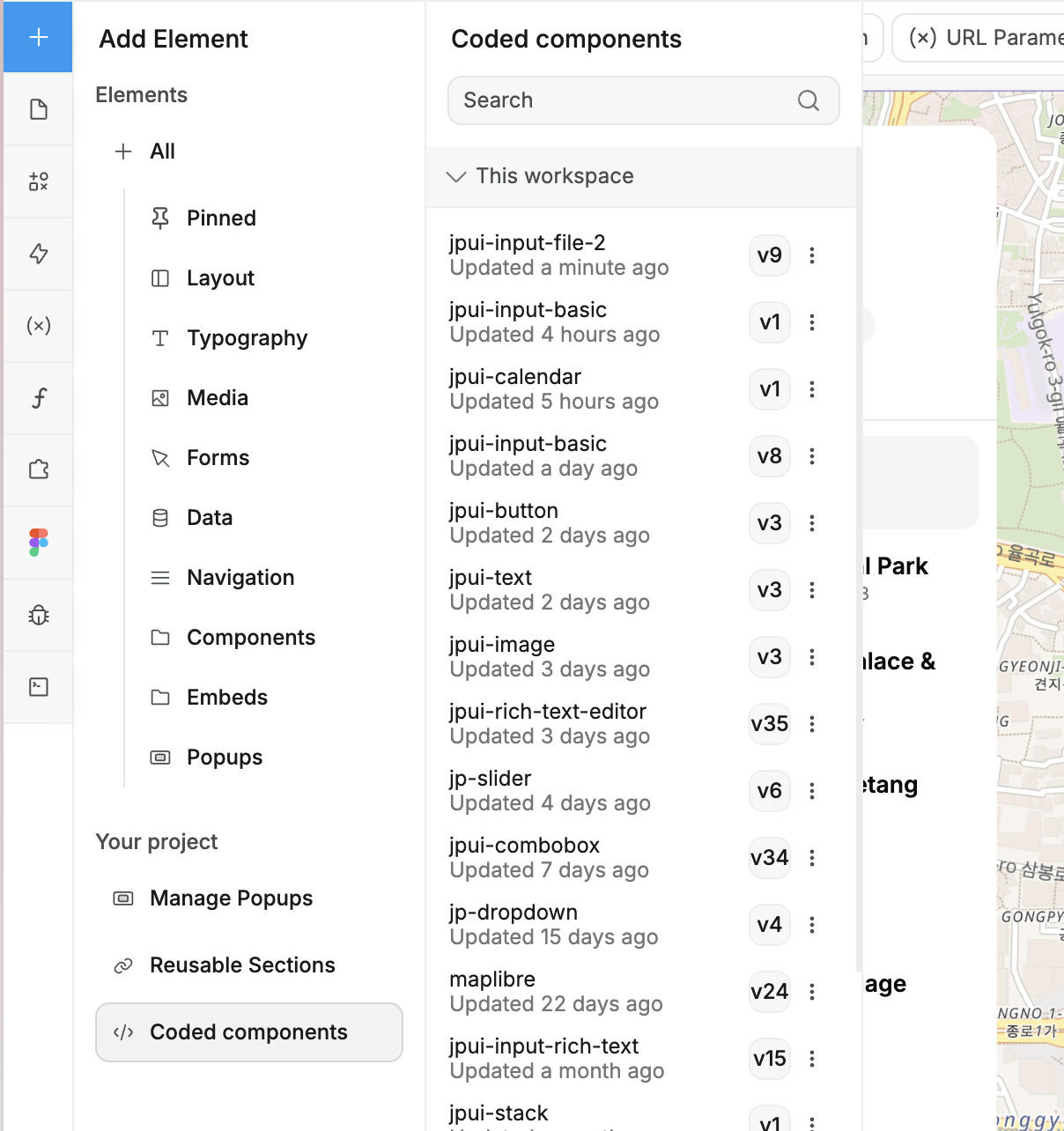
You need to then link your Github account to your WeWeb workspace and you’ll be able to access import it in the Coded component tab of your project settings.
To duplicate the component to your Github:
You can follow along Matthew tuto here.
If you go with the source.tar.gz (i’ve just updated the release, so you’ll want to download the newest), you can unzip it and you’ll have the source files of your component to put in your repo.
Alternatively, you can also fork it to your workspace in GitHub directly.
Let me make a video to show how to bring a coded component to your project. It’s only a few steps but does involve multiple tools and navigating at specific places in WeWeb.
I’ll probably do it tomorrow, I’ll ping you back!
Thank you for this tutorial @jptrinh, you sure know how to make things look easy . I just also just noticed you have a rich collection of great videos on youtube, thanks for your efforts!
Hi @jptrinh , thank you for the invitation. Indeed I have a wishlist.. I hope this excites you:
How to scroll to a (dynamic) place somewhere in the middle of a page. For example: an item is selected in list A (catalog) and added to list B (selection). When list B gets too long, the list should automatically scroll to the point where it’s inserted (could be at the bottom, but also somewhere in the middle of the list).
How to create a calendar with draggable/resizable appointments (for planning production capacity in days). Something like the week-view of Outlook calendar. I have already made something like this, but it missed finnese. And Weweb’s custom component is too simple/mismatch for my use case.
How to create an auth-token-refresh process within Weweb using Xano auth.




 .
.
 . I just also just noticed you have a rich collection of great videos on youtube, thanks for your efforts!