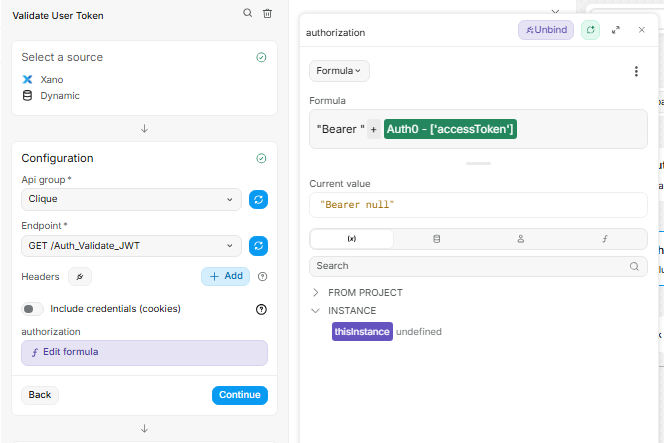
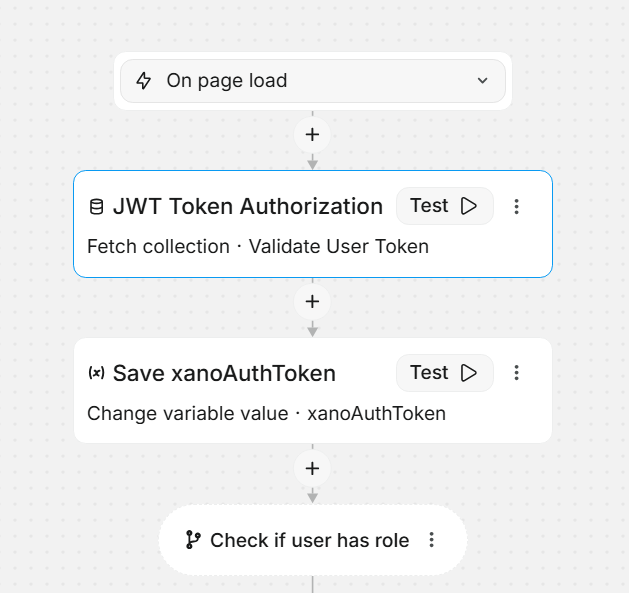
Hello! Very new user here - I’m trying to save a value from an API response to a variable, but I can’t access the result in my formula. Basically, my xano api that validates my auth0 JWT also creates a xano token (xano_token), and I have a workflow setup that 1. Fetches info from my xano api using the auth0 token and 2. changes my weweb variable xanoAuthToken value to xano_token. However, the value is not changing. Here is my info and a screenshot of the workflow
Setup:
-
I have a Xano collection called “Validate User Token” (ID: 546e010…)
-
The API response returns:
{ user: {...}, xano_token: "eyJ..." } -
I’ve verified the
xano_tokenis present in the Network tab Response -
I created a text variable
xanoAuthTokenwith “Save in local storage: Yes”
Workflow (As Seen in Screenshot):
-
Fetch collection: “JWT Token Authorization” (fetches Validate User Token)
-
Change Variable: Set
xanoAuthTokento the xano_token from step 1 -
Check if user has role…
So far, I’ve attempted the following:
-
(formula field)
Validate User Token.data.xano_token- didn’t work -
(formula field)
Validate User Token.result['xano_token']- didn’t work -
collections['546e010...']?.data?.xano_token- didn’t work -
context.workflow['action-uuid'].result.xano_token- didn’t work -
wwLib.wwCollection.getCollectionData('546e010...')?.xano_token- didn’t work -
Hardcoded string
"TEST_TOKEN_123"- this worked
Question: What’s the correct syntax to access the result of a fetch collection action that runs earlier in the same workflow? Or is there another obstacle I’m not understanding?