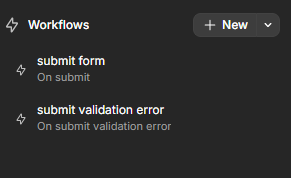
I am currently attempting to catch the error details of a form upon submission, to display the reason why it failed back to the user in an info box / alert.
Which is great, the “Form submission blocked - Validation errors detected” object that is pasted in the log is exactly what I need. However, I have no way of retrieving it.
The error branch of the ‘submit form’ workflow that I have never kicks in. The submit validation error workflow that I tried works, but the event value for it is a massive object that I suppose is used in the background for some state management of sort:
If this is useful - my submit button is located outside of the form, I trigger it using an html attribute form with the id of my form, in my case here incident_form.
How can I make it work and retrieve the error results?
Can you check and let me know if that solves it for you? If not, I’d recommend reaching out to support with a short video of how things are setup so that they can take a look directly in your project.
Thank you for your response. Unfortunately, the form submission does not throw an error when the validation fails - so this doesn’t work. It looks like something checks the form validation as per my log screenshot above, and decides not to trigger the workflow at all.
The On submit validation error action triggers correctly, but it does not expose the actual validation response in that workflow:
Ok, I think your instinct was right and it’s due to where your submit button is located and how you’re triggering it. Since it’s a bit of an unusual setup, I can’t reproduce without access to your project to test and understand exactly what’s going on.
I’d recommend contacting support so they can take a closer look at how things are setup on your side and provide guidance.