Resize Input Based on content

Hi, I have a single line input that I want to resize based on the value so that it shows the full value until the max width is hit.

I thought “auto” on width would do this but instead it doesnt. Instead of overflowing I just want the input box width to increase.

I’m assuming there is something simple that I’m missing right?

1 Like

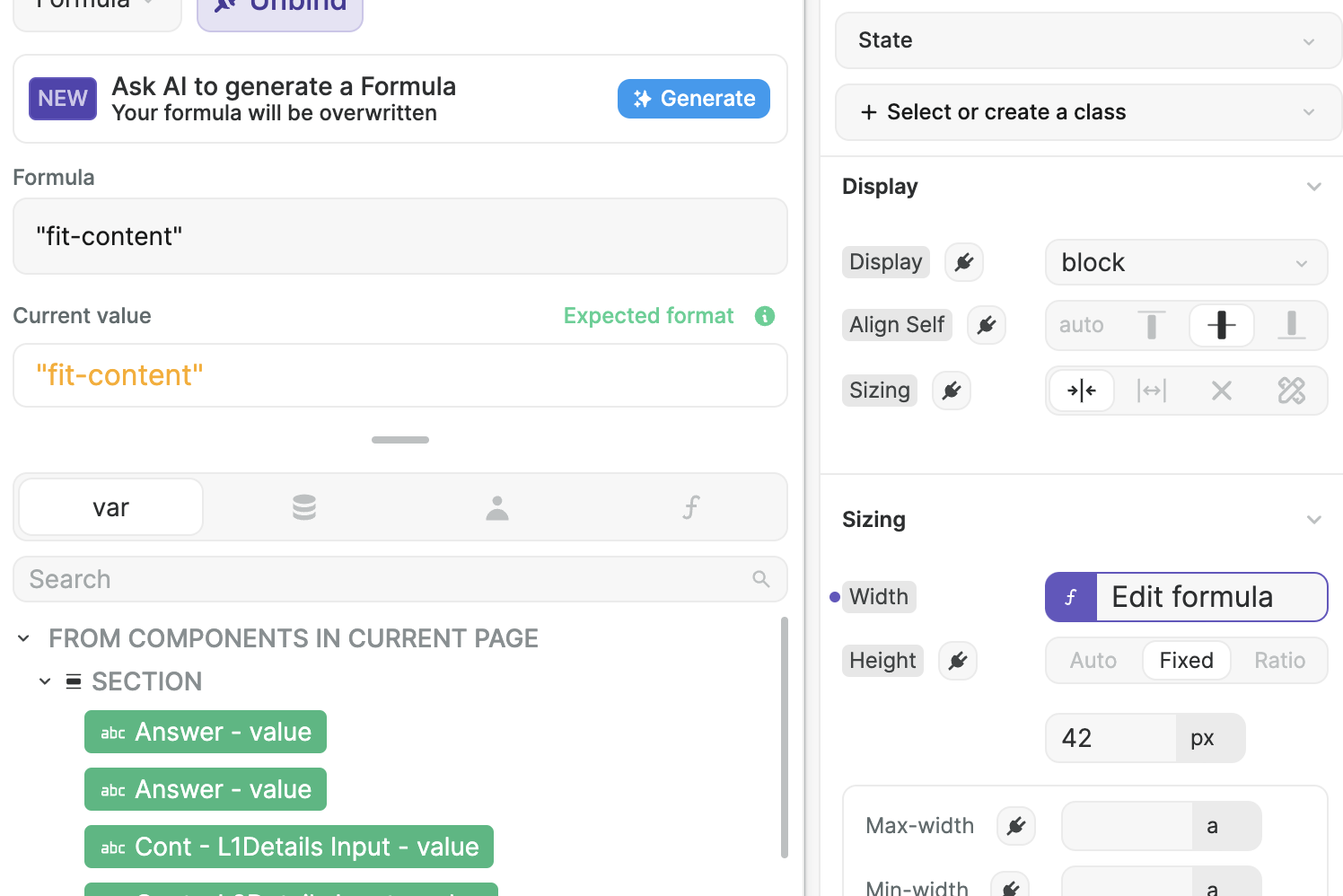
Check if the width is not set, if it isn’t bind it to “fit-content”, check also parent elements, if they’re not set on something fixed. I know this can be done, because I did it with multiselect I think.

Hi, this is how I set it up with the fit content but it still doesnt work. The parent div isnt restricting the size, its much bigger.

1 Like

Hey Mark were you able to solve this?

No I never have, still looking for a solution. I tried to do it with code but couldnt get it to work.

Same issue, the only non-elegant solution I found is to set the width proportional to the input text length.

Set a max height (i.e. like the max you want your chatbox or input to expand to) then add field-sizing
and resize to the Custom CSS

i found that adding “resize: none;” to the CSS give the clean expandable text element without the manual resizing click-drag element at the bottom corner
field-sizing: content;
resize: none;