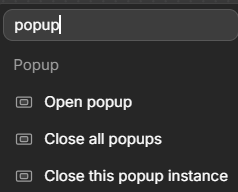
Is there a way to programmatically close a particular instance of a popup?
My old use case for popups/alerts was to set a global variable with a Sticky and Hover state of true/false. And my display workflow would not close the alert if it was hovering or a sticky.
But since popup variables are scoped I cant access within the popup, nor do I see a way how to close the specific instance via workflow–only close all instances
Not 100% sure to understand, but in the new Popups, there is 2 workflows available one that closes the actual popup, and the one called “close all Popups” which actually is not closing all popups but a workflow where you select the specific popup that you want to close. Hope this helps.
Hi Daniel, welcome back 
Have you tried what Antoine said?
You can call that workflow action from anywhere and choose what popup to close.
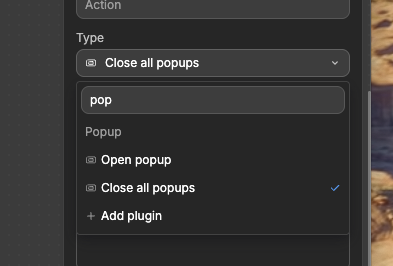
I don’t have that option. I remember seeing it, which is what was making me question my sanity. But take a look. I only have “all”.
It’s a naming mistake that I already passed to the team.
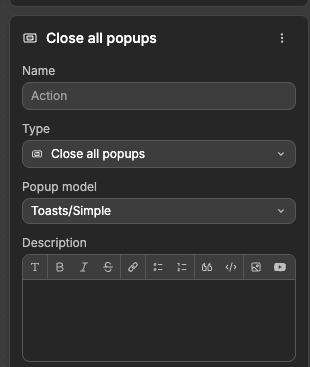
This action is actually : “Close X popup”
Try it and you’ll see
Unfortunately, I do not see the option to close a specific instance when selected the Close all - just simple the option to close all of a certain type. Is there something I’m not seeing? I could’ve sworn I saw the instance one previously.
Inside the “Popup model” dropdown, that’s where you actually have your dropdown chosen, which is “Toasts/Simple”. If you have multiple dropdowns in your app, you’ll see that that dropdown will allow you to choose one of your popups to close. I was confused by this workflow action originally because I thought that it was going to close all popups until I saw that the dropdown under “Popup model” only have a check mark next to one of my popups
I Daniel, have you found a solution?